Animate Old Photos
A blink, a small smile, a turn of the head. See an old family photo move.
Your first video is free, no card needed.
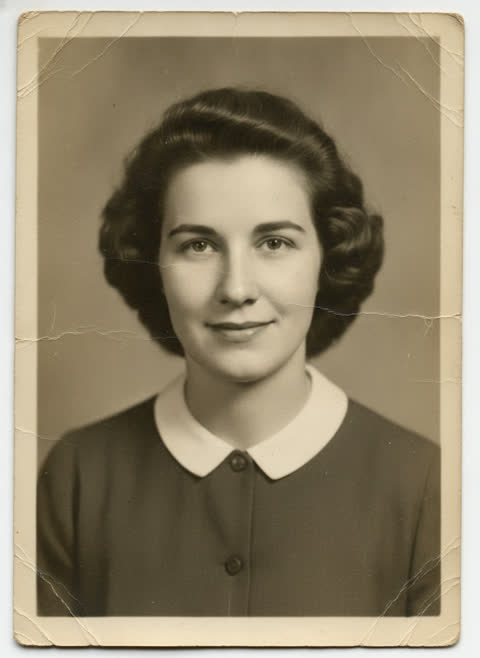
1. Your photo
A clear photo or scan of the print, with the face visible.
2. Describe the movement
3. Confirm
No card needed. Your first video is on us.
How it works
- Step 1
Add your photo
A clear photo or scan of the print, with the face visible.
- Step 2
Describe the movement
We've started you off with Old photo. Keep it, pick another or write your own.
- Step 3
Get your video
Usually ready in under a minute, as an MP4 to download.
What the animation does
The video keeps your photo as it is, with its grain, its creases and its black and white, and adds a little movement: a blink, a gentle smile, a small turn of the head. It stays subtle on purpose, because that is what makes it feel like the person.
Getting the photo in
Lay the print flat by a window and take the picture straight on with your phone, without flash. Fill the frame and keep the face sharp. If the print is badly damaged, run it through our old photo restoration first.
Questions
Is the movement real?
No. AI makes up the movement, so it shows how the photo could have moved, not a memory of what happened. It helps to say so when you share it.
Does it work on colour photos?
Yes. For a colour photo, change "black and white look" in the description to "original colours".
Can I write my own movement?
Yes. The description box is yours to change, for example to ask for a wave or a laugh.
How much does it cost?
A 5 second video is 6 credits in Standard and 12 in Full HD. Credits start at $15 for 100, which makes 16 Standard videos. If a video fails, your credits come back automatically.
Is it free?
Your first video is free: a 4-second preview in 480p with a small DreamDuoAI.com mark. You only need to sign in, no card. After that, videos use credits and run 5 seconds in Standard or Full HD, without the mark. Free videos are limited each day and aren't offered in every country. New accounts also get 2 free photo generations.